Facebook Fame: A Guide to Creating Impactful Videos
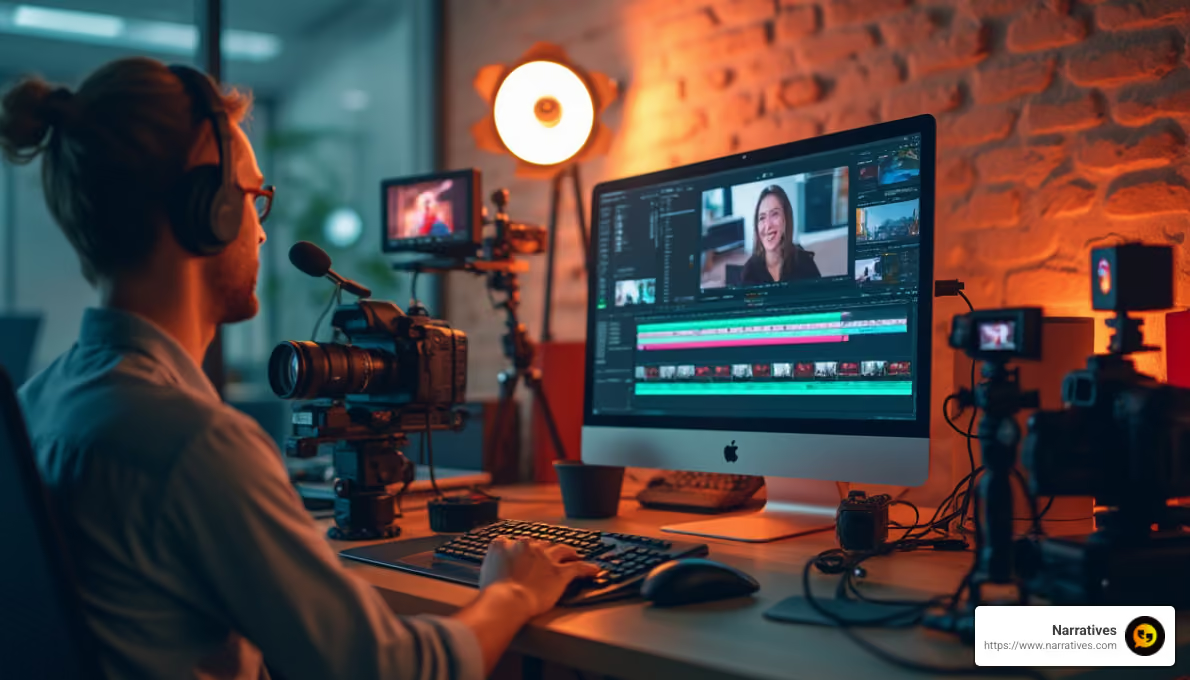
Facebook video creation is not just a tool for brands but a powerful medium for storytelling. With video emerging as a dominant form of content across social platforms, Facebook places an enormous potential in the hands of non-profits, social causes, and advocacy organizations striving to amplify their impact.
When it comes to video content creation on Facebook, consider these essentials:
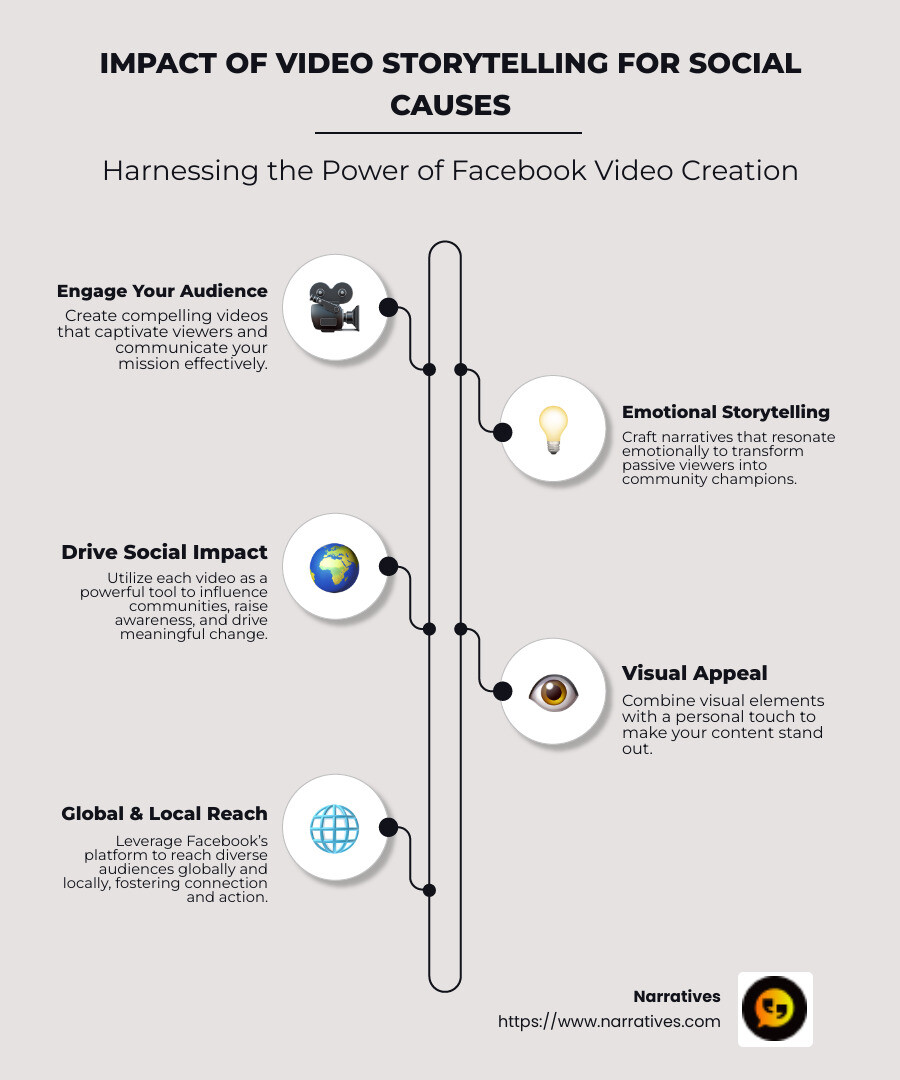
- Engage your audience: Use videos to captivate and communicate your mission.
- Storytelling: Crafting narratives that resonate emotionally can transform passive viewers into community champions.
- Social impact: Each video has the potential to directly influence communities, raise awareness, and drive change.
In a world inundated with information, video content stands out by combining visual appeal with a personal touch. Whether you're highlighting stories of change or rallying support for a cause, the right video content can serve as a catalyst for meaningful action and connect people on a human level.
For non-profit marketing leaders, social impact groups, and story-driven brands, understanding how to leverage Facebook video creation is key to elevating their mission and reaching both local and global audiences. With simple, accessible tools at their disposal, these storytellers can craft authentic narratives that inform, inspire, and instigate change.
Common facebook video creation vocab:
Understanding Facebook Video Creation
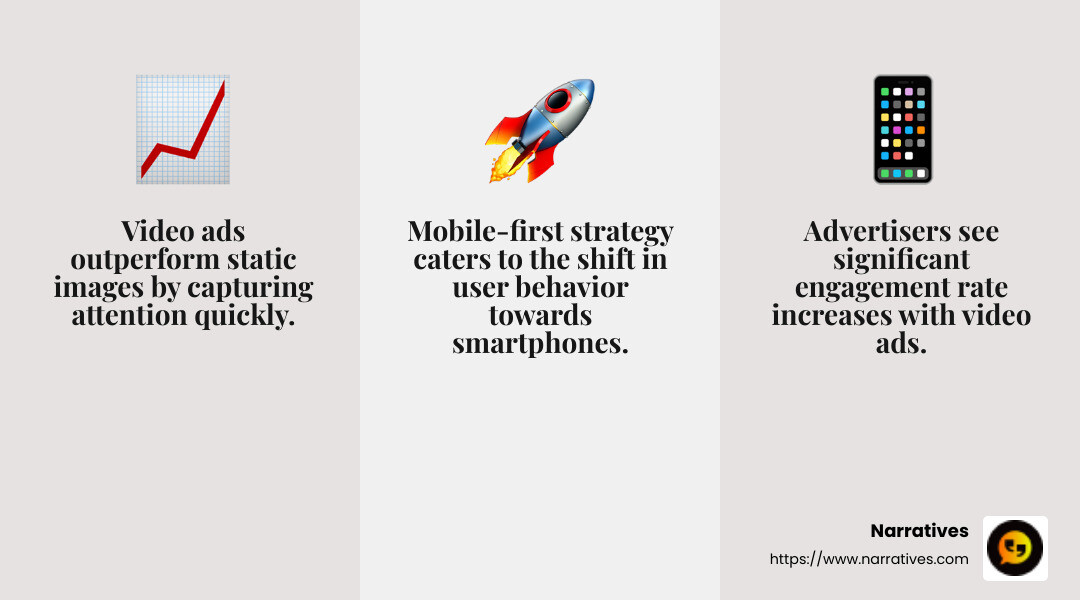
Facebook video creation is a game-changer in the digital world, especially for brands and organizations aiming to make a mark. With the rise of video as a predominant form of content, Facebook has positioned itself as a leader in video advertising. This is especially true with its mobile-first approach, which caters to the growing number of users accessing content on their smartphones.
The Power of Video Ads
Video ads on Facebook are not just popular—they're effective. They outperform static images by grabbing attention quickly and holding it longer. This is crucial in a fast-moving newsfeed where every second counts. Advertisers have found that video ads can increase engagement rates significantly. As a result, video ads are often the go-to choice for marketers looking to boost their brand's visibility.
Mobile-First Approach
Facebook's emphasis on a mobile-first strategy is a response to the shift in user behavior. More people are consuming content on their phones than ever before. This shift has led Facebook to prioritize mobile-optimized video formats, like square (1:1) and vertical (9:16). These formats take up more screen space, making them more engaging for users scrolling through their feeds.
A study by Metrixlab, commissioned by Facebook, found that mobile-first creative increases brand engagement by 27% and message association by 23% compared to non-mobile-optimized videos. This highlights the importance of designing videos with mobile users in mind.
Simplifying Video Creation
To support advertisers in creating mobile-friendly content, Facebook introduced the Video Creation Kit. This tool simplifies the process of turning images and text into engaging videos. It offers templates that cater to various marketing objectives, such as promoting a product or showcasing benefits. By using these templates, even those with limited video editing skills can produce professional-looking ads.
The Video Creation Kit is especially beneficial for non-profits and small businesses. It allows them to create impactful videos without needing a big budget or extensive resources.
In summary, mastering facebook video creation is essential for anyone looking to leverage the platform's vast audience. By focusing on video ads and embracing a mobile-first approach, brands and organizations can effectively connect with their target audience and drive their message home.
Tools and Techniques for Creating Facebook Videos
Creating engaging and impactful videos for Facebook doesn't have to be complicated or expensive. With the right tools and techniques, even beginners can produce professional-quality videos. Let’s explore some of the best tools available for facebook video creation.
Adobe Express
Adobe Express is a fantastic tool for anyone looking to create stunning Facebook videos for free. It offers a range of customizable templates that make it easy to craft videos that align with your brand. You can start with a template and then personalize it with your own images, text, and branding elements. Adobe Express also allows you to add animations, music, and special effects, which can make your videos more engaging.
A standout feature of Adobe Express is its ability to resize videos effortlessly. You can create a video once and then quickly adapt it for different Facebook placements, such as ads, posts, or cover videos. This flexibility is crucial for maximizing the reach and impact of your content.
Vimeo Create
Another powerful tool for facebook video creation is Vimeo Create. This platform is designed to simplify video production, even for those with no prior experience. Vimeo Create offers a variety of templates custom for different marketing goals. Whether you want to promote a product, highlight an event, or share a story, there’s a template to match your needs.
Vimeo Create also provides access to a library of stock images, video clips, and music tracks. This makes it easy to improve your videos with high-quality content. Plus, you can add text overlays and animated graphics to make your videos more dynamic and eye-catching.
Leveraging Video Creation Tools
Both Adobe Express and Vimeo Create are excellent choices for creating Facebook videos that capture attention. They offer user-friendly interfaces and a wealth of features that empower users to bring their creative visions to life. Whether you’re a non-profit looking to tell a compelling story or a business aiming to drive sales, these tools can help you achieve your goals.
By utilizing these tools, you can produce videos that stand out in a crowded newsfeed. The key to successful facebook video creation is not just about the tools you use, but also about crafting content that resonates with your audience. Use these platforms to experiment with different styles and formats, and find what works best for your brand.
In the next section, we will explore best practices for optimizing your Facebook video ads to ensure they reach and engage your target audience effectively.
Best Practices for Facebook Video Ads
Creating impactful Facebook video ads involves more than just crafting a visually appealing video. To truly engage your audience and achieve your marketing goals, you need to optimize how and where your videos are displayed. Let’s dive into some best practices for enhancing the effectiveness of your Facebook video ads.
Optimize Video Placements
When it comes to Facebook, placement is key. Automatic placements are a great starting point, as Facebook will distribute your ad across its platforms to maximize reach. However, if you have specific insights about where your audience is most active, consider using the edit placements option. This allows you to choose where your ads appear, such as on Instagram or Messenger, and even select specific devices. Starting with a low budget, like $10 or $20 per day, can help you test these placements and see what works best.
Leverage Video Slideshows
Video slideshows are a fantastic way to create engaging content without the need for extensive video footage. Using the Video Creation Kit within Facebook Ads Manager, you can transform static images into dynamic slideshows. This is particularly useful for showcasing multiple products or highlighting different features of a single product.
The Drive Product Findy template is especially effective for grabbing attention, as it uses animations and multiple images to keep viewers engaged. This approach is ideal for the bottom of your sales funnel, where you want to drive conversions by showcasing product benefits and testimonials.
Create Engaging Newsfeed Videos
Your video’s format can significantly impact its success. Facebook recommends using a square (1:1) or vertical (4:5) format, as these take up more space in the newsfeed and are more likely to catch a viewer's eye.
To further improve engagement, consider adding a 3-5 second trailer at the beginning of your video. This snippet acts as a teaser, encouraging viewers to watch the entire video. Analyzing your video’s performance through Facebook’s Creator Studio can provide insights into viewer retention and help you refine your content strategy.
Engage Your Audience
Engagement doesn’t end once your video is live. Responding to comments on your video posts can increase interaction and extend your reach. Take the time to join conversations in the comments section, sharing your insights or answering questions. This can turn a passive viewing experience into an active dialogue, fostering a stronger connection with your audience.
By following these best practices, you can create Facebook video ads that not only capture attention but also drive meaningful engagement and conversions. In the next section, we will explore how to improve your videos further with animation effects, video clip speed, and filter effects.
Enhancing Engagement with Facebook Videos
Creating a Facebook video that captivates your audience involves more than just a good storyline or product showcase. To truly make your videos stand out, you can use a variety of techniques such as animation effects, adjusting video clip speed, and applying filter effects. These elements can significantly improve viewer engagement and make your content more memorable.
Use Animation Effects
Animation effects can transform a simple video into something dynamic and eye-catching. By incorporating animations, you can highlight key points or products in your video, making them more noticeable to viewers. Facebook's Video Creation Kit offers templates that add animations to your video, helping to maintain viewer interest and draw attention to specific elements.
For instance, the Drive Product Findy template uses animations to showcase multiple images effectively. This approach is especially useful when you want to highlight different features of a product or tell a compelling story through visuals.
Adjust Video Clip Speed
Playing with the speed of your video clips can add a dramatic flair or emphasize important moments. Speeding up a clip can create a sense of urgency or excitement, while slowing it down can draw attention to critical details.
When creating Facebook videos, consider experimenting with clip speed to see what resonates best with your audience. Adobe Express, for example, offers tools to easily adjust the speed of your clips, allowing you to create professional-looking videos without needing advanced editing skills.
Apply Filter Effects
Filter effects can improve the mood and tone of your video, making it more visually appealing. Filters can also help maintain consistency across your brand’s videos, giving them a cohesive look.
For instance, applying a duotone filter can add a unique and artistic touch to your videos, making them stand out in the crowded Facebook newsfeed. Filters can be particularly effective in evoking emotions or aligning your video’s aesthetic with your brand's identity.

By integrating these techniques, you can significantly boost the engagement levels of your Facebook videos. These improvements not only make your content more attractive but also help in conveying your message more effectively.
In the next section, we'll address some frequently asked questions about Facebook video creation, including how to create videos for free and the best tools available for crafting compelling content.
Frequently Asked Questions about Facebook Video Creation
How can I create a Facebook video for free?
Creating videos for Facebook doesn't have to break the bank. You can use free online tools that offer video templates customizable with your own brand assets. These tools are perfect for anyone, whether you're a seasoned video editor or a beginner. Simply start with a template, add your images, text, and animations, and you'll have a professional-looking video ready to share.
Another option is to use Facebook's built-in tools, which allow you to convert text and image assets into videos. These tools are accessible and easy to use, offering various templates optimized for different goals, such as promoting a product or showcasing its benefits.
What are the best tools for Facebook video creation?
When it comes to Facebook video creation, several tools stand out for their ease of use and features. Look for tools that offer a wide range of free templates and the ability to add animations, adjust clip speed, and apply filter effects. These comprehensive tools help create engaging videos without needing advanced skills.
For mobile users, Facebook provides simple video creation tools that allow you to make videos directly from your business Page. These tools are designed for quick and easy video creation, making them ideal for those on the go.
How do I optimize my Facebook videos for different placements?
Optimizing your videos for different placements on Facebook ensures they look great and perform well across various formats. Facebook's tools allow you to adjust your video to the right aspect ratios, such as 1:1 for feed, 16:9 for in-stream, and 9:16 for stories. This ensures your videos fit seamlessly into the different environments where people consume content.
Additionally, consider using Facebook's mobile-friendly video creation tools for ads. These tools help you create videos that look good on mobile devices without requiring significant investment or in-house skills. By selecting the right templates and aspect ratios, you can ensure your videos are optimized for maximum impact, no matter where they're viewed.
In the next section, we'll conclude with a discussion on how Narratives leverages non-profit partnerships and community-driven storytelling to create meaningful content.
Conclusion
At Narratives, we believe in the power of storytelling to connect, inspire, and drive change. Our focus is on creating impactful video content that highlights the voices and stories of those often overlooked. By partnering with non-profits and purpose-driven organizations, we aim to amplify their missions through community-driven storytelling.
Non-Profit Partnerships: Collaborating with non-profits allows us to craft videos that not only tell a story but also build trust and increase visibility for the causes we support. Our video content is designed to resonate emotionally, encouraging viewers to take action and support these vital missions.
Community-Driven Storytelling: We prioritize stories that come from the heart of the communities we serve. This approach not only ensures authenticity but also empowers individuals within these communities to share their experiences and challenges. By doing so, we create a ripple effect of empathy and understanding, fostering a more connected and supportive world.
Our expertise in Facebook video creation enables us to deliver high-quality, engaging content that reaches a broad audience. We leverage tools like Adobe Express and Facebook's Video Creation Kit to produce visually compelling videos that capture attention and drive engagement.
As we continue our journey, we invite you to learn more about how our storytelling can lift your mission. Whether you're a non-profit looking to expand your reach or a community organization aiming to share your story, we're here to help.
Find how Narratives can partner with you to create impactful video content.

.avif)