YouTube Success: How to Make Videos That Wow
To make great YouTube videos, start here:
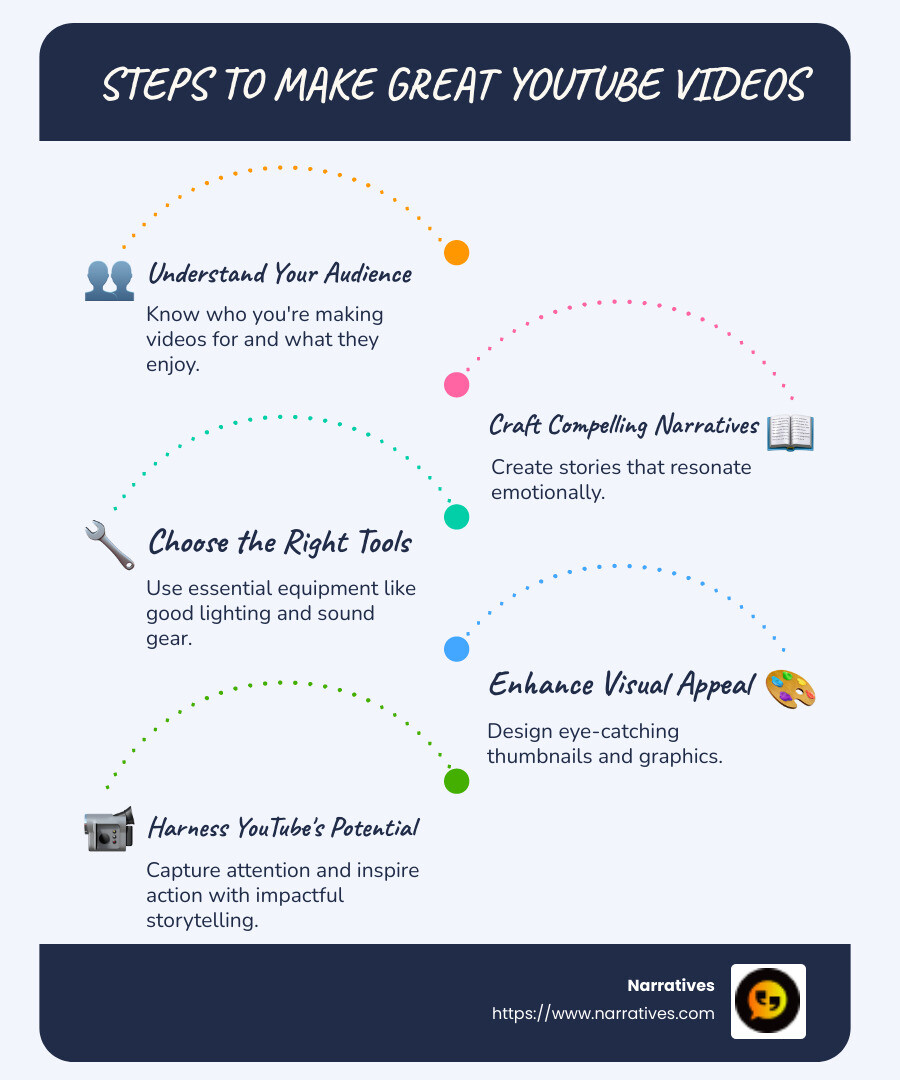
- Understand your audience: Know who you're making videos for and what they enjoy.
- Tell a compelling story: Craft narratives that resonate emotionally.
- Use the right tools: Have the essentials like good lighting and sound equipment.
- Engage through visuals: Use eye-catching thumbnails and graphics.
In today's digital age, capturing attention with captivating video content is more crucial than ever. Video has become a powerful medium for storytelling, allowing organizations to share their missions and engage audiences on a deeper, more emotional level. Whether you're a non-profit looking to amplify your message or a socially-driven brand aiming to create meaningful connections, crafting engaging video content is key.
Using the potential of YouTube can be transformative, especially for those dedicated to advocacy and social impact. Yet, many struggle with limited resources and expertise to make their message heard. As the second most visited site globally, YouTube offers an unparalleled platform for storytelling that can drive awareness, encourage community growth, and inspire action.
Our guide explores the essentials to make great YouTube videos, revealing how to capture your audience's attention through authentic, impactful storytelling.
Easy make great youtube videos glossary:
Create a Winning YouTube Strategy
Crafting a winning YouTube strategy begins with understanding the core elements that make your videos valuable to viewers. It's not just about the videos themselves, but about the value they provide to your audience.
Valuable Topics
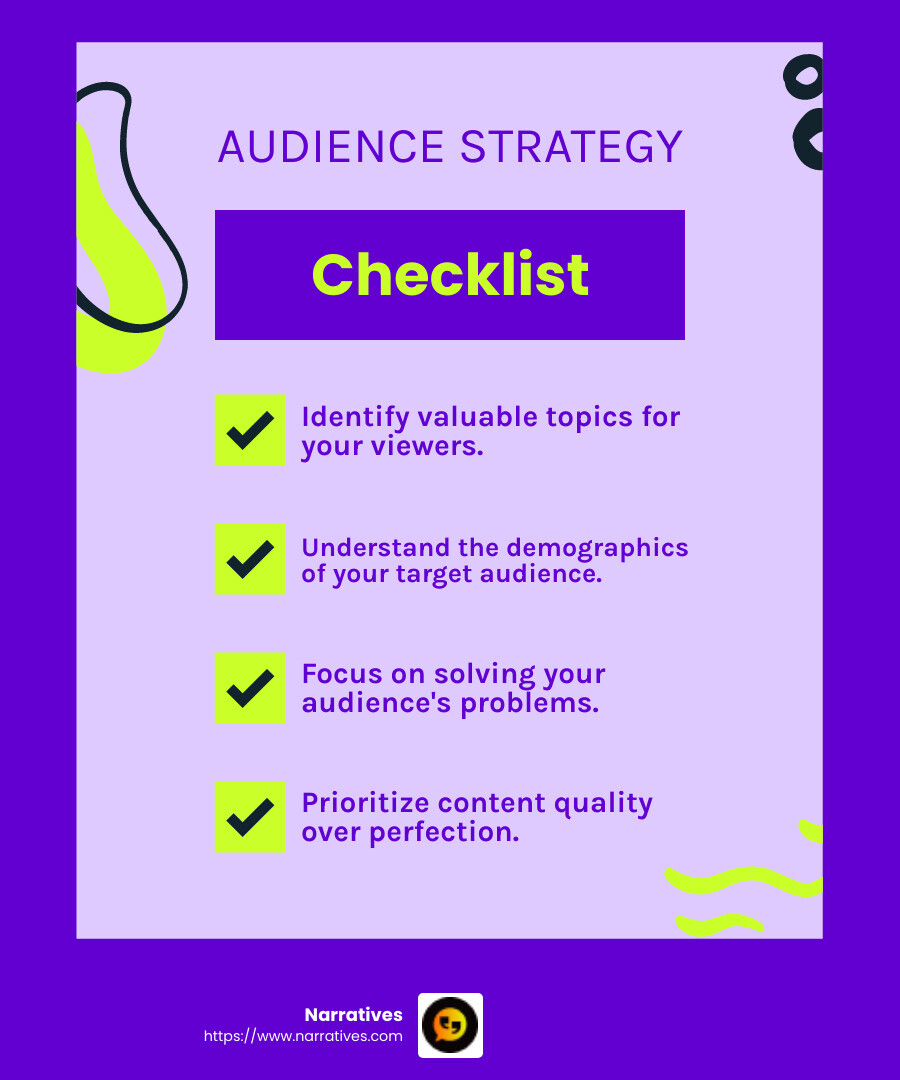
The first step is identifying valuable topics. These are subjects that resonate with your audience and address their desires or problems. It's not about what you want to say; it's about what your audience needs to hear.
Consider running a simple questionnaire to uncover what interests your audience most, as advised by YouTube Marketing Consultant Owen Video. This helps in pinpointing the biggest topics your potential viewers are eager to explore.
Know Your Target Audience
Before you hit the record button, ask yourself: Who is my audience? Knowing your target audience will guide nearly every decision you make about your video content.
- Demographics: Understand the age, gender, and interests of your viewers.
- Behavior: What types of videos do they watch? What are their viewing habits?
- Needs: What problems do they face that your content can solve?
Fernando Silva emphasizes the importance of understanding what keeps your audience watching and what might turn them away. This insight is crucial for creating content that truly connects.
Address Audience Needs
Once you have a clear picture of your audience, focus on meeting their needs. This means creating content that not only informs or entertains but also engages on a meaningful level.
- Solve Problems: Offer solutions to common challenges your audience faces.
- Educate: Provide information that enriches their knowledge or skills.
- Inspire: Share stories or insights that motivate and encourage action.
Tyler Lessard suggests focusing on the quality of your content and its relevance to your audience. This is a straightforward strategy that ensures your videos are not only seen but valued.
Start Simple, Avoid Perfection
It's easy to get caught up in the pursuit of perfection, but remember: just start. Amy Landino, a successful YouTuber, reminds us that everyone starts somewhere. Don't let the fear of not being perfect hold you back. Focus on progress, not perfection.
In summary, creating a winning YouTube strategy revolves around understanding your audience and delivering valuable content that meets their needs. With these insights, you're on your way to crafting videos that not only capture attention but also build a loyal community.
Next up, we'll dive into the essential steps for making great YouTube videos, including planning, scriptwriting, and storyboarding.
Make Great YouTube Videos: Essential Steps
Creating engaging and effective YouTube videos involves a few essential steps. Let's break down the process into video planning, scriptwriting, and storyboarding. These steps are critical for ensuring your videos resonate with your audience and deliver the value they seek.
Video Planning
The foundation of any great YouTube video is meticulous planning. This involves laying out the video’s purpose, target audience, and key messages. Start by asking yourself:
- What is the goal of this video? Is it to inform, entertain, or inspire?
- Who is my audience? Tailor your content to meet their needs and interests.
- What message do I want to convey? Keep it clear and concise.
Once you have these answers, outline the structure of your video. This helps in maintaining focus and ensuring that your content flows logically from one point to the next.
Scriptwriting
A well-crafted script is the backbone of your video. It ensures that your message is communicated clearly and keeps your audience engaged.
- Start with a rough outline: Identify the main points you want to cover.
- Write in a conversational tone: Use simple language that’s easy to understand. This makes your content relatable and accessible.
- Break it into scenes: Divide your script into manageable sections. This makes it easier to follow and film.
A good script doesn’t have to be perfect. It just needs to effectively convey your message and engage your audience.
Storyboarding
Storyboarding is the visual planning of your video. It involves sketching out each scene to give you a clear idea of what your video will look like.
- Create a storyboard template: Use blank slides to represent each scene. Include space for notes on camera angles, dialogue, and actions.
- Sketch each scene: You don’t need to be an artist. Simple stick figures or rough sketches will do.
- Add filming instructions: Include notes on camera movements, lighting, and any special effects.
A storyboard acts as your visual guide during filming, helping you stay organized and ensuring that you capture all the necessary shots.
With these essential steps, you're well on your way to making great YouTube videos that wow your audience. Next, we'll explore the equipment and tools necessary for producing high-quality videos.
Equipment and Tools for High-Quality Videos
Creating high-quality YouTube videos doesn't require a Hollywood studio. With the right equipment and tools, you can produce videos that look and sound professional. Here's what you'll need to get started.
Smartphones
Modern smartphones are powerful tools for video creation. The iPhone 14 Pro and Samsung Galaxy S22 Ultra, for instance, can record up to 4K video resolution at 60fps. They come with advanced video stabilization and multiple camera options, making them suitable for a variety of shooting styles. These devices are perfect for beginners who want to start making great YouTube videos without a hefty investment.
DSLR Cameras
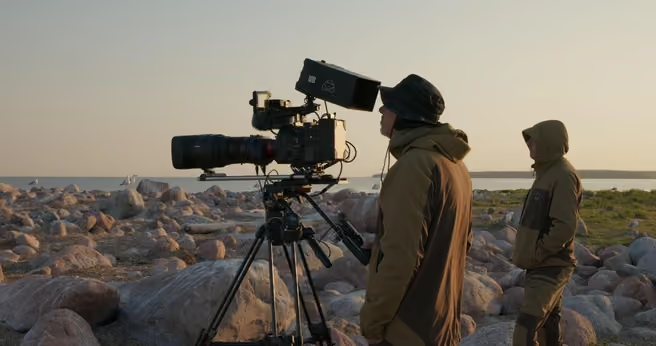
For those looking to lift their video quality, DSLR cameras are a fantastic choice. They offer interchangeable lenses, allowing you to adapt to different filming situations. Whether you're shooting a tutorial or an outdoor trip, a DSLR can provide the crisp, clear visuals that help your content stand out.
- Versatility: Change lenses to suit different scenes.
- Quality: Capture high-resolution images and videos.
- Control: Adjust settings like aperture and shutter speed for creative effects.
Microphones
Audio quality is just as important as video quality. Built-in smartphone and camera microphones often fall short in delivering clear sound. Investing in an external microphone can significantly improve your video's audio.
- Condenser Mics: Ideal for indoor shoots, offering crisp and clear sound.
- Dynamic Mics: Perfect for outdoor filming, as they minimize background noise.
- Lavalier Mics: Portable and great for on-the-go recording, allowing for movement without compromising sound quality.
Tripods
A stable shot is crucial for professional-looking videos. Tripods provide the stability you need, whether you're filming a stationary scene or capturing dynamic angles.
- Telescoping Tripods: Adjustable height for various shooting perspectives.
- Flexible Tripods: Adapt to uneven surfaces or wrap around objects, perfect for outdoor shoots.
- Suction Cup Tripods: Attach to surfaces like car windshields or mirrors for unique angles.
Investing in these essential tools can transform your video production process, helping you create content that not only captures attention but also retains it. Next, we'll dig into video production techniques to further improve the quality of your YouTube videos.
Video Production Techniques
Creating a great YouTube video involves more than just having the right equipment. It's about how you use that equipment to create visually appealing and engaging content. Let's explore three critical aspects of video production: lighting setup, camera angles, and audio quality.
Lighting Setup
Lighting can make or break your video. Good lighting improves your video quality, making it more engaging and professional.
Natural Light: The best and most cost-effective light source. Try shooting during the "golden hour"—just after sunrise or before sunset—for soft, flattering light.
Three-Point Lighting: A classic setup that includes a key light, fill light, and backlight. This setup creates depth and eliminates shadows on your subject's face.
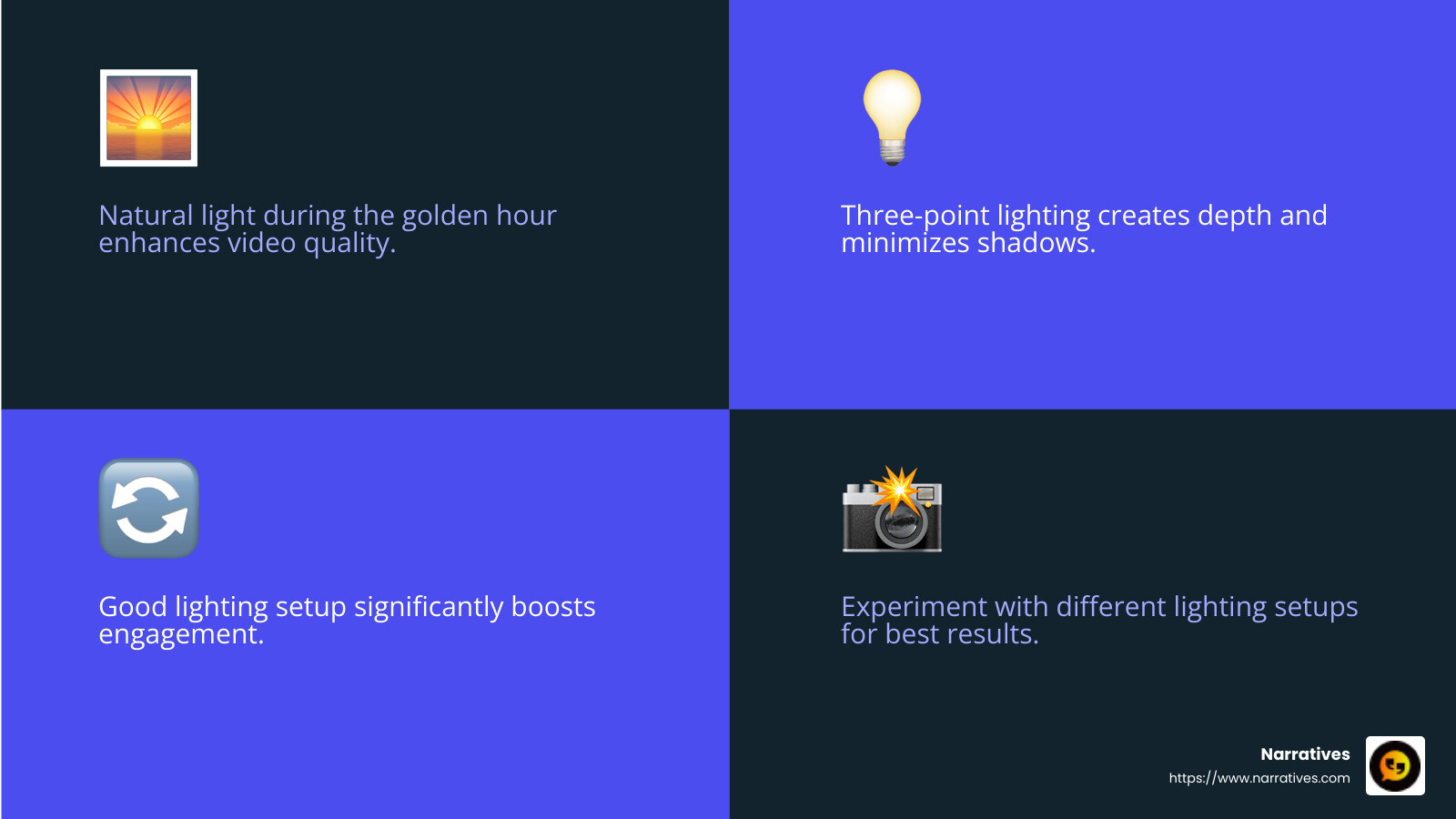
Ring Lights: Perfect for vlogs and beauty videos. They provide even lighting and reduce shadows, making your face look vibrant and clear.
Camera Angles
The right camera angle can add interest and emotion to your video. Experiment with different angles to keep your audience engaged.
Eye Level: The most common angle. It creates a neutral and relatable perspective, making the viewer feel like they're in the conversation.
High Angle: Makes the subject appear smaller and more vulnerable. Useful for creating a specific mood or emphasis.
Low Angle: Adds power and authority to the subject. Great for showcasing products or making a statement.
Switching up angles within your video can help maintain viewer interest and add a professional touch to your content.
Audio Quality
While visuals grab attention, audio keeps it. Poor sound quality can distract viewers and reduce engagement.
External Microphones: Essential for clear audio. Lavalier mics are great for interviews, while shotgun mics work well for outdoor shoots.
Windshields: If you're filming outside, a windshield can prevent wind noise from ruining your audio.
Quiet Environment: Always aim to record in a noise-free space to minimize background distractions.
By mastering these video production techniques, you can significantly improve your content's quality and ensure your audience stays engaged. Up next, we'll explore post-production and editing tips to give your videos that final polish.
Post-Production and Editing Tips
Once you've captured your footage, it's time to transform it into a polished, engaging video. This is where post-production magic happens. Let's explore some essential steps: video editing software, color grading, and sound effects.
Video Editing Software
Choosing the right video editing software is crucial. It can make the editing process smoother and more efficient. Here are some popular options:
iMovie: Great for beginners. It's user-friendly and has all the basic tools you need to make great YouTube videos.
HitFilm: Offers more advanced features like multiple video layers and free music. It's perfect for those ready to step up their editing game.
DaVinci Resolve: A professional-grade tool that's free to use. It offers high-end editing, color correction, and audio editing tools.
Each of these options has its strengths, so choose one that matches your skill level and needs.
Color Grading
Color grading is about adjusting the colors in your video to improve mood and consistency. Here are some tips:
Maintain Consistency: Ensure your color grading is uniform across all scenes. This creates a cohesive and professional look.
Use LUTs Sparingly: LUTs (Look-Up Tables) can be a great starting point, but don't rely on them entirely. Customize the settings to match your video's specific needs.
High-Quality Footage: Always shoot in the highest resolution possible. This gives you more flexibility during color grading, allowing for natural adjustments.
Sound Effects
Sound effects can significantly improve your video's impact. They keep viewers engaged and add depth to your storytelling.
Background Music: Choose music that complements your video's tone. Use music libraries like YouTube’s audio library or Epidemic Sound to avoid copyright issues.
Sound Effects: Improve your video with subtle sound effects. They can emphasize actions or create atmosphere, making your content more immersive.
Audio Balance: Ensure that your dialogue, music, and sound effects are well-balanced. This prevents any element from overpowering the others.
By focusing on these post-production elements, you can lift your videos from good to great, keeping your audience captivated and coming back for more. Next, we'll dive into optimizing your videos for YouTube SEO to maximize their reach.
Optimize Your Videos for YouTube SEO
Creating a video that impresss is only half the battle. To truly make great YouTube videos that captivate an audience, you need to ensure they're easily findable. Let's break down the essentials of optimizing your videos for YouTube SEO: keyword research, video titles, and video descriptions.
Keyword Research
Keywords are the magic words that connect your videos with viewers searching for content like yours. Here's how to find the right ones:
YouTube's Search Suggest: Start typing a topic into YouTube's search bar. The auto-suggestions are a treasure trove of popular search terms.
Long-Tail Keywords: These are more specific phrases like "how to bake chocolate chip cookies" instead of just "baking." They're less competitive and often attract more engaged viewers.
Tools to Use: Platforms like VidIQ can help you find keywords with high search volume and low competition. This makes it easier for your videos to stand out.
Video Titles
Your video title is like a headline. It needs to grab attention and tell viewers what to expect.
Be Concise: Keep it under 70 characters. This ensures your title isn't cut off in search results.
Include Keywords Early: Place your main keyword towards the beginning of your title for better visibility.
Avoid Clickbait: Misleading titles can lead to high drop-off rates, which negatively impacts your video's performance.
Video Descriptions
Descriptions are your chance to provide context and additional information about your video.
Start Strong: Include the most important details in the first two sentences. This is what appears in search results.
Use Relevant Keywords: Sprinkle them naturally throughout the description to improve search rankings.
Include Links: Add links to your website, social media, or related videos. This encourages viewers to explore more of your content.
By mastering these SEO tactics, you're not just making your videos great—you're ensuring they reach the right audience. Next, we’ll answer some frequently asked questions about making great YouTube videos.
Frequently Asked Questions about Making Great YouTube Videos
How to make a YouTube video for beginners?
Starting your YouTube journey can feel overwhelming, but it doesn't have to be. Follow these simple steps to create your first video:
Plan Your Content: Decide on a topic that interests you and your target audience. It could be anything from a tutorial to a vlog.
Write a Loose Script: Jot down key points you want to cover. This helps keep you on track without sounding scripted.
Set Up Your Space: Find a quiet spot with good lighting. Natural light is great, but a simple lamp can work wonders too.
Use a Smartphone: You don't need fancy equipment. A smartphone with a decent camera is enough to start.
Edit Your Video: Use free editing software like Shotcut or OpenShot to trim and polish your footage.
Upload and Optimize: Once edited, upload your video to YouTube. Don't forget to add a catchy title, description, and relevant tags.
What equipment do I need to start a YouTube channel?
You don't need to break the bank to start a YouTube channel. Here's a basic list to get you going:
Smartphone: Most modern smartphones can record in HD or even 4K, making them perfect for beginners.
Tripod: A tripod keeps your shots steady. There are affordable options that work with smartphones.
Microphone: Good audio is crucial. Consider a clip-on mic or a simple USB mic for better sound quality.
Lighting: Natural light works well, but a ring light can help if you're filming indoors or at night.
As you grow, you can invest in more advanced gear like DSLR cameras and professional lighting kits.
How can I improve my video editing skills?
Editing can transform your video from average to amazing. Here are some tips to improve your editing prowess:
Practice Regularly: The more you edit, the better you become. Experiment with different styles and techniques.
Learn from Tutorials: Platforms like YouTube itself have countless tutorials on using editing software effectively.
Use Simple Effects: Start with basic transitions and effects. As you get comfortable, try more advanced techniques like color grading.
Seek Feedback: Share your videos with friends or online communities for constructive criticism.
Stay Updated: Editing software often updates with new features. Keep an eye out for these to expand your skill set.
By focusing on these areas, you’ll be well on your way to making great YouTube videos that captivate and engage your audience. Now, let's explore how Narratives can help you tell your digital story.
Conclusion
At Narratives, we believe in the power of digital storytelling to transform how non-profits and purpose-driven organizations share their impact. By crafting compelling videos, we lift underrepresented voices and create emotionally resonant content that inspires action.
Partnering with us means more than just producing a video. It’s about creating a narrative that builds trust and increases visibility for your cause. Our approach centers on understanding your unique story and translating it into a visual experience that captivates and engages your audience.
Non-profit partnerships are at the heart of what we do. We work closely with organizations to highlight their communities, challenges, and triumphs. Our goal is to humanize these stories, making them relatable and impactful for viewers worldwide.
By focusing on storytelling, we help non-profits connect with their audience on a deeper level. This connection not only fosters empathy but also encourages support and involvement from the community.
Ready to lift your storytelling and make a lasting impact? Learn more about how we can help you create videos that wow your audience by visiting our service page.
Together, let's create engaging video content that makes a difference.
.avif)