From Concept to Creation: Making Your Own Video
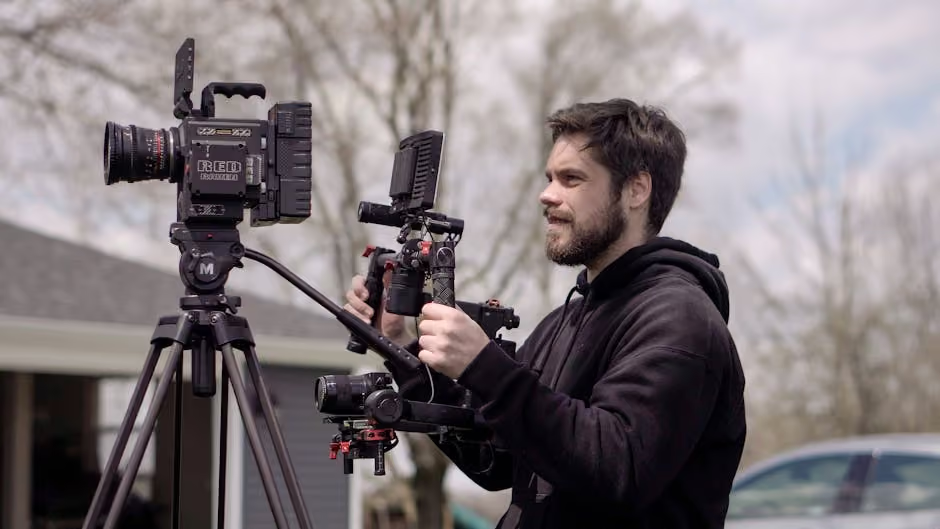
Make your own video is no longer just a task for big production houses or seasoned filmmakers. In today's digital era, anyone with a story to tell or a message to convey can step into the role of a videographer. Whether you're a non-profit aiming to amplify your mission or a storyteller looking to create a meaningful impact, video content creation is an accessible and powerful tool.
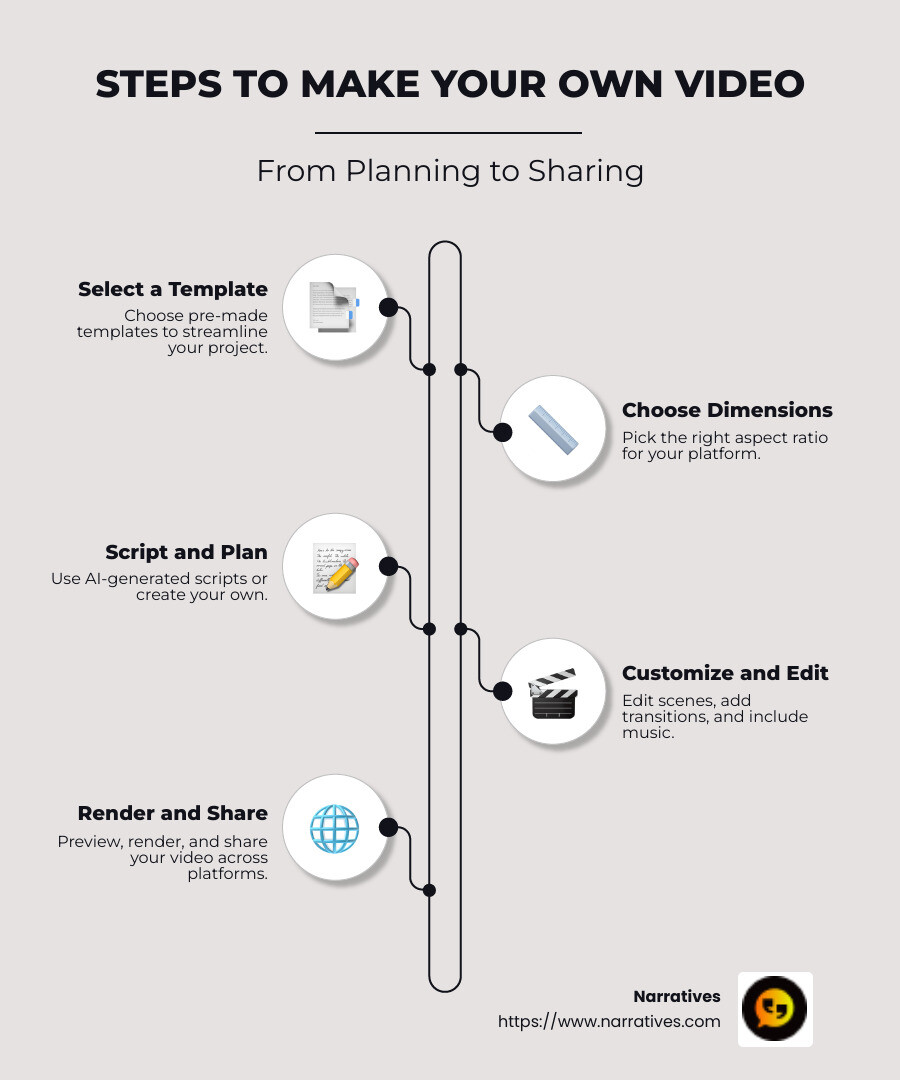
For those wondering how to make your own video, here's a quick guide to get started:
Select a Template: Start with pre-made templates to streamline your project.
Choose Dimensions: Pick the right aspect ratio for your platform—Portrait for Instagram, Square for YouTube, or Landscape for general use.
Script and Plan: Use AI-generated scripts or your own to structure your narrative.
Customize and Edit: Edit scenes, add transitions, and include music and voiceovers to improve your video.
Render and Share: Preview your masterpiece, render it, and share it across various platforms.
Storytelling through video not only helps organizations convey their mission but also engages viewers emotionally, leading to increased awareness and support. Non-profit partnerships can leverage this medium to reach broader audiences and drive change effectively.
In the coming sections, we will explore the basics of video creation, identify the best tools available, and guide you through a step-by-step process to help you craft your own impactful videos.
Easy make your own video glossary:
Understanding the Basics of Video Creation
Creating videos is simpler than ever, thanks to the rise of online video makers and editors. These tools are designed to make the process accessible to everyone, regardless of technical skill. Let’s break down the essentials.
Video Maker
A video maker is a tool that helps you create videos from scratch or with the help of templates. These platforms are intuitive and often come with pre-designed templates to kickstart your project. For instance, you can start by selecting a template that suits your theme, whether it's for a social media post or a promotional video.
Video Editor
Once you've created the basic structure of your video, a video editor becomes your best friend. This tool allows you to refine and polish your video. You can trim unnecessary parts, add text overlays, and even apply filters to improve the visual appeal. Some editors also offer advanced features like transitions and effects to make your video stand out.
Free Video Maker
For those on a budget, a free video maker is an excellent option. These tools provide essential features without any cost. While some platforms might offer premium features for a fee, the free versions are often sufficient for basic projects. You can create, edit, and share your videos without worrying about breaking the bank.
Key Features to Look For
- Templates: Start quickly with pre-made designs.
- Aspect Ratio Options: Ensure your video fits the platform's requirements.
- Editing Tools: Trim, split, and add effects easily.
- Music and Voiceovers: Incorporate soundtracks to improve storytelling.
By understanding these basics, you're well on your way to making your own video. Whether you're using a free video maker or a more advanced editor, these tools empower you to bring your vision to life. In the next section, we’ll dig into the specific tools and platforms that can help you create stunning videos effortlessly.
Tools and Platforms for Making Your Own Video
When you're ready to make your own video, choosing the right platform is crucial. Here, we explore the unique features offered by Narratives, which is designed to help you create engaging videos with ease.
Narratives
Narratives is an all-in-one editor perfect for beginners and pros alike. It's designed to simplify video creation with features that are easy to use.
- Templates: Start with customizable templates that suit various themes, from social media posts to promotional content.
- Animated Effects: Add dynamic elements to your video with just a click, making your content more engaging.
- Royalty-Free Content: Access a library of high-quality stock music and photos to personalize your project.
- Content Scheduler: Plan and publish your videos directly from the platform, streamlining the sharing process.

Narratives empowers you to create, edit, and share videos effortlessly, whether you're crafting a personal project or a professional presentation. By leveraging the tools and features offered by Narratives, you can bring your video concepts to life with ease.
In the next section, we'll guide you through the step-by-step process of making your own video, from pre-production planning to post-production editing.
Step-by-Step Guide to Making Your Own Video
Creating a video can seem daunting, but with a little planning and the right techniques, you can bring your vision to life. Let's break it down into three simple steps: Pre-Production Planning, Production Techniques, and Post-Production Editing.
Pre-Production Planning
Before you start shooting, it's crucial to have a clear plan. This phase is all about concept development and storyboard creation.
Concept Development: Think about the message you want to convey. Is it a tutorial, a promotional video, or a personal story? Define your target audience and the main goal of your video.
Storyboard Creation: A storyboard is like a comic strip for your video. Draw or write down each scene to visualize the flow of your video. This helps you organize your ideas and ensures you don't miss any important shots.
Production Techniques
Now that you have a plan, it's time to start filming. You don't need fancy equipment to get started; DIY shooting and screen recording can be very effective.
DIY Shooting: Use your smartphone or a basic camera. Focus on good lighting and clear audio. A tripod can help keep your shots steady.
Screen Recording: If your video involves digital content, like a tutorial, use screen recording software. This captures your screen activity, which you can narrate or improve later.
Post-Production Editing
Editing is where your video truly comes together. Here, you can split and trim videos and add effects to improve your content.
Split and Trim Videos: Cut out unnecessary parts to keep your video concise. Most editing software allows you to drag and drop clips, making it easy to rearrange and shorten your footage.
Add Effects: Use transitions, text overlays, and filters to make your video more engaging. Be careful not to overdo it; subtle effects can improve without distracting.
Once your video is edited, it's time to share it with the world. Export it in the right format for your platform, and you're ready to go!
In the next section, we'll explore how to improve your video with advanced features like animated effects and royalty-free music.
Enhancing Your Video with Advanced Features
Once you've got the basics down, it's time to spice up your video with some advanced features. These elements can make your video stand out and keep viewers engaged. Let's explore animated effects, royalty-free music, and stock photos.
Animated Effects
Adding animated effects is like giving your video a touch of magic. These effects can include transitions, text animations, and motion graphics. Invideo offers hundreds of options like fade, shift, and zoom to make your scenes flow smoothly. Just remember, a little goes a long way. Use animations to highlight key points or to add a professional polish, but avoid overwhelming your audience.
Royalty-Free Music
No video is complete without the right soundtrack. Music sets the mood and can evoke emotions that words alone can't. You can find a wide range of royalty-free music from platforms like Audioblocks. These tracks are licensed for use, so you won't have to worry about copyright issues. You can also upload your own music if you have specific tracks in mind. Just make sure the volume is balanced and doesn't overpower your narration or dialogue.
Stock Photos
Sometimes you need visuals that you just can't capture yourself. That's where stock photos come in. With access to libraries like iStock and Shutterstock, you can find high-quality images to complement your video. Whether you need a cityscape, a smiling face, or a product shot, stock photos can fill in the gaps and add depth to your story. Make sure the images match your video's style and theme to maintain consistency.
By incorporating these advanced features, your video will not only look more professional but also deliver a more engaging experience for your viewers. Next, we'll tackle some frequently asked questions about making your own video to help you overcome common problems.
Frequently Asked Questions about Making Your Own Video
Making your own video can seem daunting at first. Here, we address some common questions to help you get started and make the process smoother.
How do I create my first video?
Creating your first video is easier than you might think. Start by choosing a video maker platform that's user-friendly and offers a variety of templates. These platforms often have drag-and-drop features, making it easy to add your own media or select from their stock libraries.
- Select a Template: Choose a pre-designed template that suits your video's purpose.
- Add Your Media: Drag and drop your videos, images, and audio files into the editor.
- Edit and Customize: Use the platform's tools to trim, split, and add effects to your clips.
- Preview and Export: Once you're satisfied, preview your video and export it in your desired format.
What input file types are supported?
Most video editing platforms are versatile and support a variety of input file types. Common video formats like MP4, MOV, and AVI are usually supported. For images, you can typically upload JPEG and PNG files, while audio files can be in MP3 or WAV formats. Always check the specific platform's guidelines to ensure compatibility.
How free is ‘free’?
Many video editing tools offer a free version with basic features. This usually includes access to simple editing tools, a limited selection of templates, and some stock media. A robust free version can cover most everyday video editing needs without a pricetag. However, advanced features, premium templates, and extensive stock libraries might require a subscription or one-time purchase. Always explore what the free version offers to see if it meets your requirements before considering paid options.
Conclusion
As we wrap up our journey through video creation, highlight the role of Narratives in shaping impactful stories. Our mission is to empower non-profits and purpose-driven organizations to lift their voices through high-quality video content. By focusing on social impact and community-driven storytelling, we aim to inspire action and foster deeper connections.
Creating a video is not just about piecing together clips and images; it's about telling a story that resonates with your audience. Whether you're sharing the journey of a community, highlighting the achievements of a non-profit, or advocating for a cause, video can be a powerful tool. It helps build trust, increase visibility, and drive engagement.
At Narratives, we believe that every organization has a unique story to tell. By leveraging the power of video, we can help you convey your message in a way that is both authentic and compelling. Our focus on underrepresented voices ensures that diverse perspectives are heard and celebrated.
If you're ready to harness the power of video for your organization, we invite you to learn more about how we can partner with you. Find how Narratives can help you transform your vision into a compelling story that makes a difference.
Learn more about how Narratives can help you create impactful video content.
.avif)