From Concept to Clicks: Using Video in Google Ads
Capturing Attention with Video Ads on Google YouTube
Video creation in google ads has become a pivotal strategy for organizations aiming to amplify their mission through compelling storytelling. Video ads on Google and YouTube offer powerful avenues to connect with audiences, drive action, and lift your message to global platforms. If you're looking to make a quick impact, here's what you need to know:
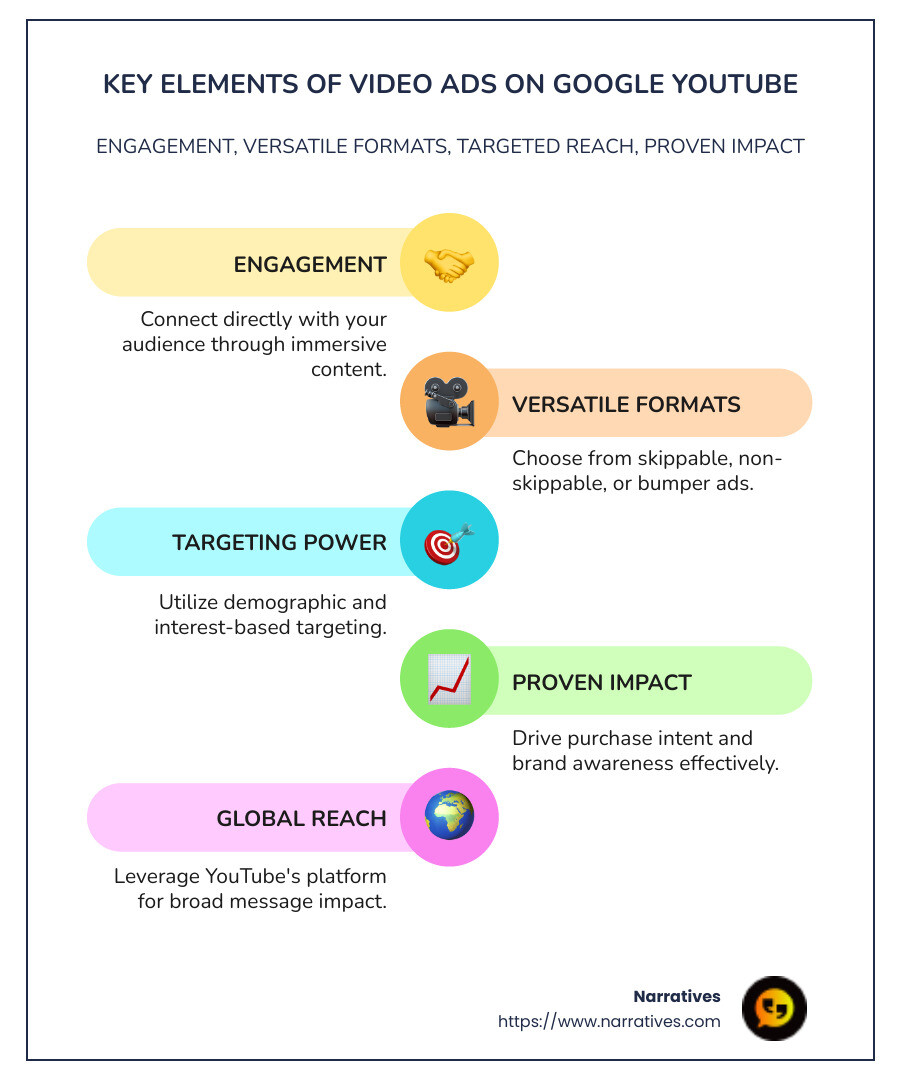
- Direct Engagement: Video ads allow you to create a dynamic connection with your audience.
- Versatile Formats: Choose from skippable, non-skippable, or bumper ads to suit your content.
- Targeting Power: Use demographic and interest-based targeting to reach the right viewers.
With YouTube boasting 87% of US online users taking action after finding new products through its platform, the effectiveness of video ads is undeniable. As brands like BlendJet and Cider have shown, leveraging strategic ad formats can significantly reduce costs and broaden reach, open uping potential for both small businesses and social impact organizations.
Video ads, within Google Ads and YouTube, offer:
- Engagement: Connect directly with your audience through immersive content.
- Impact: Drive purchase intent and brand awareness efficiently.
- Accessibility: Use YouTube's global reach to broaden message impact.
"Video is worth a million words," says Njord Rota, highlighting the unparalleled storytelling power that videos bring to marketing.
Easy video creation in google ads glossary:
The Power of Video in Advertising
Video is not just a medium; it's a powerful tool that transforms how businesses engage and influence their audiences. On platforms like YouTube, video ads have become a staple for brands looking to make a significant impact.
Engagement
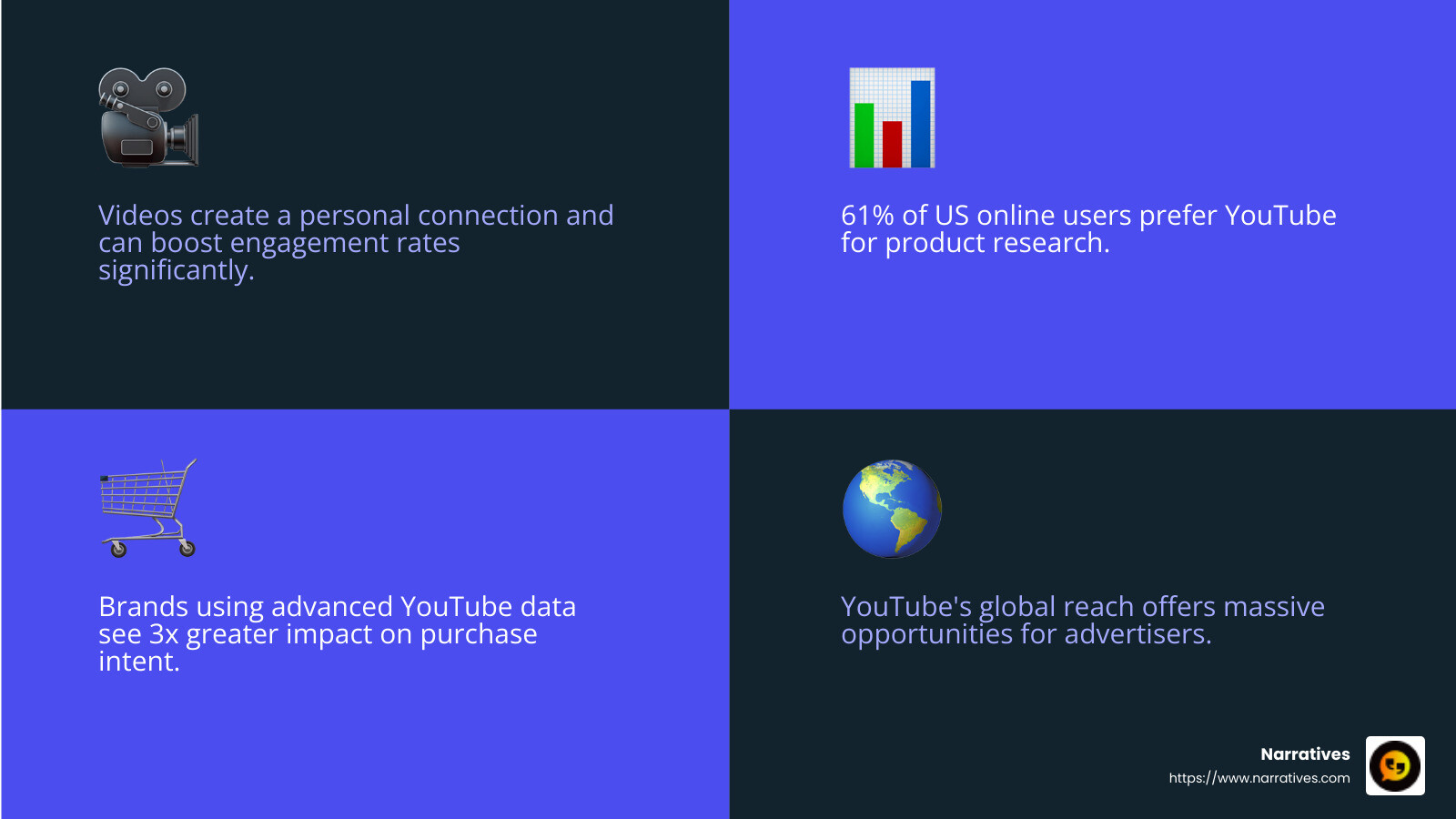
One of the standout features of video advertising is its ability to capture attention. Unlike static images or text, videos can convey emotion, tell stories, and create memorable experiences. This dynamic nature leads to higher engagement rates. With video ads, you can create a direct line to your audience, fostering a connection that feels personal and impactful.
- Interactive Formats: Use skippable and non-skippable ads to keep viewers engaged.
- Shorts and Bumper Ads: Perfect for quick, impactful messages that leave a lasting impression.
Influence
The influence of video advertising is profound. According to a survey conducted by Ipsos, 61% of US online users prefer YouTube for product research over other social platforms. This preference underscores the trust and authority YouTube holds as a source of information and entertainment.
- Purchase Intent: Brands using advanced data in their YouTube campaigns can achieve 3x greater impact on purchase intent.
- Brand Findy: With 87% of users taking action after finding new products on YouTube, the platform is a critical channel for brand awareness and conversion.
YouTube: The Ultimate Platform
YouTube is more than just a video-sharing site; it's a global stage for advertisers. Its vast reach and diverse audience make it an ideal platform for video ads. By tapping into YouTube's capabilities, brands can scale their messages and reach audiences worldwide.
- Global Reach: With billions of users, YouTube provides an unparalleled opportunity to showcase your brand to a broad audience.
- Targeted Advertising: Leverage YouTube's targeting options to reach specific demographics and interests, ensuring your message hits the mark.
Video advertising on platforms like YouTube is not just about visibility; it's about creating a connection that resonates. As Njord Rota aptly puts it, "Video is worth a million words," capturing the essence of what makes video such a compelling medium for storytelling and marketing.
Video Creation in Google Ads
Creating video ads in Google Ads is now easier than ever, thanks to a streamlined process and the integration of AI. Let's explore how you can harness these tools to craft compelling video ads that capture and engage your audience.
Streamlined Process
Google Ads offers a video ad creation tool that simplifies the process, making it accessible even for those with no prior video editing experience. At the heart of this process is the Asset Library. This is where you can store and manage all your brand assets, such as logos, images, and text. The library serves as a central hub, ensuring that everything you need is at your fingertips.
Templates are another key feature. They provide a range of professionally designed options that you can customize to fit your brand's style and message. You can preview these templates before selecting one, ensuring it aligns with your vision.
- Choose a Template: Start by selecting a template that fits your campaign goals. Each template is designed to highlight different aspects of your product or service.
- Add Your Assets: Customize the template with your brand's images, text, and music. Google Ads even offers predefined fonts and a music library to improve your video.
- Create and Preview: Once you've added your assets, click "Create video" and wait for it to generate. You can then preview the final product to ensure it meets your expectations.
AI Integration
The integration of AI in Google Ads takes video creation to the next level. AI helps in targeting and reaching your desired audience more effectively. By analyzing user data, AI can identify patterns and preferences, allowing you to tailor your ads to specific demographics and interests.
- AI-Powered Targeting: Use AI to refine your audience targeting, ensuring your ads reach the right people at the right time. This can lead to higher engagement and conversion rates.
- Generative AI Tools: As noted, these tools allow for the creation of unique visuals custom to your campaign's needs. This means you can test new creative concepts quickly and efficiently.
Incorporating AI into your video creation process not only saves time but also improves the effectiveness of your campaigns. By leveraging these tools, you can create ads that are not just visually appealing but also strategically targeted to maximize impact.
Steps to Create a Video Ad in Google Ads
Creating a video ad in Google Ads involves a few straightforward steps. Let's break it down into easy-to-follow stages: selecting a template, adding assets, and finalizing and publishing your ad.
Selecting a Template
The first step in video creation in Google Ads is choosing the right template. Here's how you do it:
Access the Asset Library: Log into your Google Ads account and steer to the Asset Library. This is where all your creative elements live.
Preview and Select a Template: Google Ads offers a variety of templates suited for different campaign goals. You can preview these templates to see which one fits your message best. Selecting the right template is crucial as it sets the tone for your ad.
Customization Options: Once you've chosen a template, you can start customizing it. This includes adjusting the layout, colors, and any other elements to align with your brand's style.
Adding Assets
After selecting a template, it's time to add your brand assets. This is where your creativity shines:
Images: Upload your brand's images. You can also crop and adjust them to fit the template perfectly.
Text: Add compelling text that communicates your message clearly. Consider using predefined fonts from the Google Ads library to maintain consistency.
Music: Choose music that improves your video. Google Ads provides a selection of tracks, or you can upload your own.
It's important to ensure all assets are high-quality and align with your brand's identity.
Finalizing and Publishing
Now that your video is coming together, let's move to the final steps:
Create and Preview: After adding all your assets, click "Create video" and wait for it to generate. This might take a few minutes. Once done, preview your ad to ensure it looks and sounds the way you want.
Connect to YouTube: If you're satisfied with the preview, select the YouTube channel where you’d like to upload the video. Make sure your channel is connected to your Google Ads account, and that you have the necessary permissions (like Editor or Owner rights).
Publish: After confirming everything is set, click "Upload video" to publish it on YouTube. Your video will now be ready to reach your audience.
By following these steps, you can efficiently create and publish a video ad that not only reflects your brand but also captivates your audience. Once your ad is live, you can monitor its performance and make adjustments as needed to optimize results.
Enhancing Video Ads with Voice-Over
Adding a voice-over to your video creation in Google Ads can significantly boost the effectiveness of your ad. It brings a personal touch and helps convey your message more clearly. Let's explore how you can improve your video ads using voice-over.
Text-to-Speech: A Seamless Solution
Google Ads makes it easy to add voice-overs with its integrated text-to-speech feature. This tool allows you to type in your script and select a voice that matches your brand's tone. With just a few clicks, you can overlay this voice-over onto your video.
Simple Setup: In your Google Ads account, steer to the Asset Library. Choose a video and click on "Add voice-over." Enter your script in the text box provided, and select a voice from the available options.
Multiple Languages: Google Ads supports a wide range of languages, including English, Spanish, French, Hindi, and more. This means you can tailor your voice-over to your audience's language preference, making your ad more relatable and engaging.
Language Options: Reaching a Wider Audience
Offering voice-overs in different languages allows you to expand your reach and connect with diverse audiences. This is especially important if your target market includes non-English speakers.
Customizable Voice Types: With options in English-US, English-UK, Hindi, Spanish, and several other languages, you can choose a voice that best suits your brand and resonates with your audience.
Localized Messages: By using the right language, you ensure that your message is not lost in translation, helping to maintain the integrity and intent of your ad.
Effectiveness: Why Voice-Over Matters
Incorporating voice-overs in your video ads can improve their effectiveness in several ways:
Clarity and Engagement: A clear voice-over helps in delivering your message more effectively. It keeps viewers engaged, especially in ads where visuals alone might not be enough.
Emotional Connection: Voice-overs add a human element to your ads, creating an emotional connection with viewers. This can increase viewer retention and the likelihood of them taking the desired action.
Accessibility: Voice-overs make your ads more accessible to people with visual impairments. This inclusivity can broaden your audience and improve overall user experience.
By integrating voice-overs into your video creation in Google Ads, you not only improve the quality of your content but also improve its reach and impact. This approach ensures your message is heard loud and clear, making your ads more memorable and effective.
Now that we've explored how voice-overs can transform your video ads, let's address some common questions about creating video ads in Google Ads.
Frequently Asked Questions about Video Creation in Google Ads
How do I start creating a video ad in Google Ads?
Creating a video ad in Google Ads is simple and straightforward. Here's how you can get started:
Access Your Google Ads Account: Log into your Google Ads account.
Steer to the Campaigns Tab: Click on the 'Campaigns' tab and select 'New Campaign.'
Choose a Campaign Goal: Decide what you want to achieve with your ad. Options include sales, leads, or web traffic.
Select a Campaign Type: Choose 'Video' as your campaign type.
Create Your Video Ad: Use the video ad creation tool to select a template and customize it with your brand assets, such as images and text.
Finalize and Publish: Review your video ad, make any necessary adjustments, and publish it to start reaching your audience.
What assets do I need for video creation?
To create a compelling video ad, you'll need the following assets:
Images and Logos: High-quality images and brand logos to ensure your ad is visually appealing.
Text Content: A script or text that clearly communicates your message.
Music Track: Choose a suitable track from the audio library to improve your ad's mood and engagement.
Video Clips: If you have existing video clips, you can incorporate them into your ad for a more dynamic presentation.
All these assets can be stored and accessed from the Asset Library within Google Ads, making it easy to organize and retrieve them for your campaigns.
Can I add voice-over to my video ads?
Yes, you can add voice-over to your video ads in Google Ads, and it's a feature worth considering. Here's how to do it:
Use Text-to-Speech: Google Ads offers a text-to-speech feature that allows you to type your script and select from a variety of voice options.
Language Options: Choose from multiple languages like English, Spanish, French, and more to tailor your voice-over to your audience.
Easy Integration: Once you've selected your voice and entered your script, the voice-over can be seamlessly overlaid onto your video ad.
Adding a voice-over can make your ad more engaging and help convey your message more effectively, increasing the likelihood of viewer interaction.
With these insights, you're well-equipped to start creating impactful video ads in Google Ads. If you have more questions, Google Ads Help Center is a valuable resource to explore.
Conclusion
At Narratives, we believe in the power of storytelling to drive change. Our mission is to lift underrepresented voices and empower non-profits through compelling video content. By using video creation in Google Ads, non-profits can tell their stories in a way that inspires action and builds trust.
Storytelling is more than just sharing facts; it's about connecting emotionally with your audience. When non-profits use videos to showcase their impact, they humanize their causes and engage viewers on a deeper level. This emotional connection can lead to increased visibility and support for their missions.
For non-profits, video ads are a powerful tool to reach a wider audience. They can highlight the work they're doing and the communities they're serving. By leveraging the features of Google Ads, non-profits can create high-quality, emotionally resonant video content that captures attention and drives engagement.
At Narratives, we are committed to being the go-to digital storytelling partner for purpose-driven organizations. Our expertise in video content creation helps non-profits amplify their impact stories and connect with supporters in a meaningful way.
If you're ready to lift your storytelling and make a difference, learn more about how we can help you create impactful video content. Let's work together to share your story and inspire change.

.avif)